No ads, no accounts, open source. Donations pay for the servers, the Apple and Google accounts, and the new features you ask for. You donate in KDA, straight to the project wallet: no middlemen.
Koberlet takes the hard part out of crypto and leaves what matters: your funds, under your control.
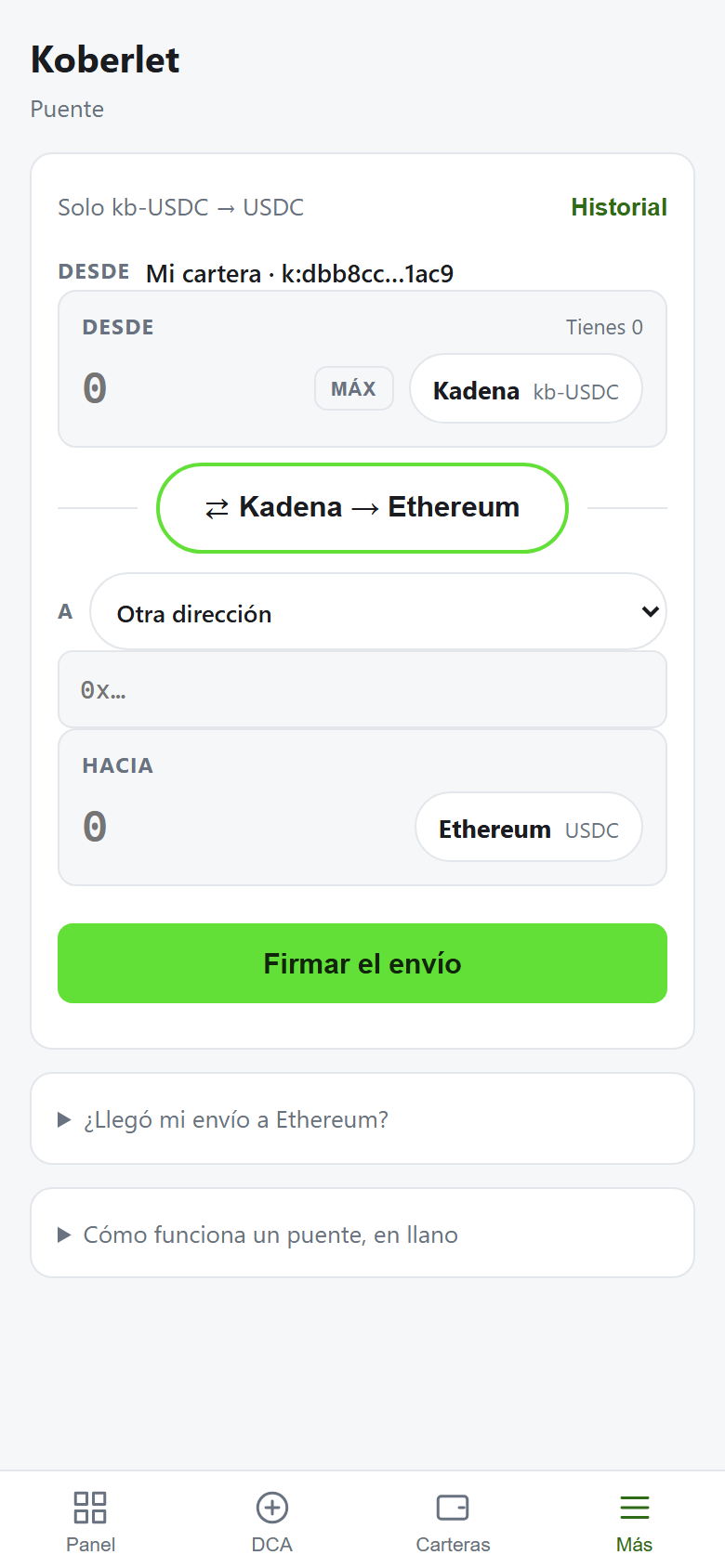
Kadena ↔ Ethereum bridge
Move your funds from one network to the other inside the app, with no middlemen.
KDA ↔ kb-USDC swap
Swap between KDA and a stable dollar in seconds, with the price shown before you confirm.
Recurring buys (DCA)
Schedule automatic buys every day, week or month and stop watching the chart.
20 chains, one wallet
Kadena has 20 chains; Koberlet adds them up and spreads funds for you. You just see your balance.
Multiple wallets and accounts
Create or import as many wallets as you want and look up any account without importing it.
Native vault and biometrics
Keys live in the operating system secure vault. Unlock with fingerprint or Face ID.
Signed updates
Every new release is signed; the app verifies the signature before installing it.
Free software
Open source under the Apache 2.0 license. Anyone can review and build it.
This is Koberlet
Tap a screenshot to see it full size.
Kadena ↔ Ethereum bridge: move funds between both networksDashboard with your balances and actionsKDA ↔ kb-USDC swapRecurring buys (DCA)Security: password, biometrics, backupFirst run: the wallet is created on your device
Downloads
Download only from this page and check the SHA-256 fingerprint if you want to be sure.
Unzip it and open "Instalar Koberlet": it puts the icon on your desktop and needs no administrator rights. New versions are downloaded by the app itself.
Direct download from this server. When opening the APK, Android asks permission to install apps from this source. The app notifies you when a new version is available.
Koberlet for iPhone is distributed through TestFlight. The public link is pending Apple's review; meanwhile, ask for an invitation in the Telegram group with the email of your Apple account.
BRIDGE: WHAT YOU RECEIVE

- Under the Amount box you now see what arrives on the other side: "You receive: 39 kb-USDC".
- The bridge delivers the same asset under its name on the other side: USDC arrives as kb-USDC, kb-KDA arrives as KDA, and the other way round. You used to have to know that.
- It updates as you change the amount, the token or the direction.
Yes. No subscription and no app fees; you only pay the usual network fees.
Who holds my keys?
Only you. They are generated on your device and never leave it. DNNS cannot see or move your funds.
What if I lose my phone or computer?
Restore the wallet on another device with your 12-word seed. Keep it on paper, offline.
Why is the iPhone version on TestFlight?
Apple requires a registered company to publish wallets on the App Store. TestFlight is Apple's official channel to distribute the app meanwhile; it is free and updates itself.
How do I verify a download?
Compare the SHA-256 fingerprint shown next to each download with the file's: certutil -hashfile file SHA256 on Windows or shasum -a 256 file on Mac and Linux.
Does this site use cookies?
No. No cookies, no analytics, no trackers, which is why there is no banner to accept. Only the light or dark theme is stored in your browser if you change it. The conditions are in the terms of use.
Where do I get help?
In the Kadena Telegram group. Nobody from Koberlet will ever ask for your seed or password.
Suggestions and bugs
What people send us and where it stands. Everything gets written down, even if it takes a while.
SuggestionIn progress
Export transactions to CSV for tax filing
A CSV file with the account movements, so they can be declared without copying anything by hand. Desktop Koberlet already exports the history to CSV; on mobile it is being polished, and it will use the same columns so a spreadsheet opens it the same way whichever app it comes from.
SuggestionDone in 0.61.0
The price, somewhere fixed
Show the exchange rate on its own tab, or link to the price the wallet follows. Today the price is used to convert balances, but there is nowhere to look it up and it does not say where it comes from. It will be done showing the source and how old the figure is: a number without that is worth little.